
php2shell (CVE-2026-109618 & CVE-2026-109619) and how IONIX is helping you respond
Last updated: 22 Oct 2026, 18:50 UTC. This page is updated as the situation develops.
TL;DR
- Two critical PHP vulnerabilities (“php2shell”, CVE-2026-109618/109619, CVSS 9.2) can let an attacker run code on PHP servers with no login. PHP has released the fix: 8.5.12, 8.4.27, 8.3.36 and 8.2.35 (21 Oct 2026). Patch now. Early in-the-wild attacks have been reported.
- IONIX has already mapped the affected assets under Threat Intelligence -> Threat Center / Live Exposure Defense in the IONIX portal. We now provide three lists (see “How IONIX helps you find and fix affected assets” below) to help you prioritize. You should aim to patch all the assets in the list as the CVE is applicable to most versions of PHP.
- Start now: open the CVE-2026-109618 entry in the IONIX portal and click “What should I fix first” for a prioritized, actionable plan. Patch PHP now (the fix is available) or apply initial mitigations as listed below.
What is happening
Two critical vulnerabilities in PHP, the language behind a large share of the web, were disclosed ahead of their fix. Nicknamed “php2shell,” they are rated Critical (CVSS 9.2) and could let a remote attacker run code on a PHP server without logging in. PHP has released the patch, and public PoCs appeared on GitHub within hours of disclosure, so treat unpatched hosts as exploitable now.
Note: early, unconfirmed reports suggest the fix may not fully cover every case (an unverified double-free on the patched release, not confirmed as exploitable). As defense-in-depth, we recommend disabling session.upload_progress where unused and keeping the WAF mitigations in place even after patching.
How IONIX helps you find and fix affected assets
The only way to prove a specific server is exploitable is to trigger the flaw itself, which risks crashing the service. Based on our research, we can’t safely produce a “confirmed exploitable” list for these CVEs. Instead, IONIX gives you three complementary views in Threat Center / Live Exposure Defense, each built with a different safe detection method:
1. CVE-2026-109619 – vulnerable version visible or vulnerable feature reachable
Assets where either of two safe checks matches:
- Version check: the asset advertises a PHP version in its
ServerorX-Powered-Byresponse header, and that version is below the fixed releases (8.2.35 / 8.3.36 / 8.4.27 / 8.5.12). - Feature check: if no vulnerable version is advertised, we send a few small, benign multipart form posts with no file attached. If the server issues a new PHP session cookie only in response to posts carrying PHP’s
PHP_SESSION_UPLOAD_PROGRESSfield, the session upload-progress feature is enabled and reachable – one of the known attack paths for CVE-2026-109619. This check confirms the server runs PHP even when it hides its version. It never reaches the vulnerable code and leaves behind only an ordinary session file that expires normally, like any first-time visitor.
Assets that advertise a patched PHP version are excluded from this list.
2. CVE-2026-109618 – vulnerable version visible
Only assets that openly advertise a vulnerable PHP version in their Server or X-Powered-By header. Every asset here is also on the CVE-2026-109619 list. Servers that hide their PHP version will not appear here, so this list is the most certain but also the smallest. Patch these first.
3. The php2shell tracker – PHP detected in response headers (a header-based safety net)
Every asset where “PHP” appears in the Server or X-Powered-By response header, regardless of version or configuration. It does not check the version, so it cannot tell patched from unpatched servers. It also only sees PHP that identifies itself in a header, so the feature check above can find PHP assets that are not on the tracker – and the tracker can include PHP assets that did not match either check.
Note: a version banner can be misleading. Some Linux distributions backport the fix but keep the original upstream version string, so a patched server can still appear on these lists. Confirm against your package changelog if in doubt.
What to do
- Patch PHP to a fixed version: 8.2.35 / 8.3.36 / 8.4.27 / 8.5.12, or your distribution’s backport. This is the only complete fix for both CVEs.
- Work the lists in order, and patch every asset on all three:
- First – CVE-2026-109618: visibly vulnerable versions, highest confidence.
- Next – the rest of CVE-2026-109619: assets where the vulnerable feature is reachable, including PHP that hides its version.
- Then – the php2shell tracker: any remaining PHP assets not already covered.
- If you have many assets, use “What should I fix first” in the IONIX portal to prioritize (available in the Live Exposure Defense add-on).
- If you can’t patch a host right away, as a temporary measure disable session upload progress (
session.upload_progress.enabled = 0) and apply the WAF mitigations described in this post. These reduce risk but do not replace patching, and disabling upload progress does nothing for CVE-2026-109618.
Configuration mitigation (for hosts you cannot patch immediately)
Disclaimer: The fix is now published. Upgrade to PHP 8.5.12, 8.4.27, 8.3.36 or 8.2.35 (or your distribution’s backport) – that is the only complete mitigation. The settings below reduce exposure on hosts you cannot patch right away, and on end-of-life branches (8.1 and older) that may not receive a fix. They are partial and were drawn from the official PHP advisories; apply and restart workers, then plan to patch.
php2shell is two separate bugs, and they need two different sets of config changes. Doing only the first (the session setting) leaves you exposed to the second.
A. CVE-2026-109619 (stale request state)
Session upload progress is one of several trigger paths, reachable by an unauthenticated request before your app runs. It is rarely used, so disabling it is safe for most deployments.
Set in php.ini, an FPM pool, or server config – not via ini_set() or a per-request .user.ini, which the advisory says do not reliably apply here. Restart all workers afterward.
session.upload_progress.enabled = 0
session.auto_start = 0 ; already the default; verify it wasn't turned on
fatal_error_backtraces = 0 ; PHP 8.5 only - the strongest demonstrated trigger
This closes the session and fatal-backtrace paths. It does not close the others, so also:
- Prefer startup php.ini or pool/server config over per-request overrides, and remove obsolete or deprecated directives (these raise diagnostics that feed the bug).
- Keep attacker-reachable requests from hitting fatal errors or the execution timeout.
- As a stopgap, pm.max_requests = 1 recycles workers more often (reduces, does not remove, the condition).
B. CVE-2026-109618 (memory-exhaustion corruption)
This one is triggered by exhausting PHP’s memory during request parsing, so the session setting does nothing for it. Reduce the memory pressure an unauthenticated request can create:
memory_limit = -1 ; enforce administratively (php_admin_value in the FPM pool / Apache)
post_max_size = 8M ; or 32M if you accept uploads; keep upload_max_filesize below it
max_input_nesting_level = 32 ; lower where feasible
max_input_vars = 1000
max_file_uploads = 20
Two things that trip people up here:
- memory_limit = -1 looks wrong, but the corruption happens when PHP hits a finite limit mid-operation. Removing the PHP limit avoids that path – then bound memory externally, with a per-worker container or cgroup memory.max, so an unbounded process cannot take down the host. Do not use RLIMIT_AS or RLIMIT_DATA; they make mmap() fail and trigger the vulnerable path.
- If a host or path never accepts file uploads, block multipart requests to it at your web server or WAF.
Verify the session setting took effect
This checks CVE-2026-109619’s session setting only (not the memory settings above). Check every version, pool, and container separately, plus any vhost or directory overrides.
command -v php-fpm >/dev/null || { echo "UNKNOWN: no php-fpm (mod_php/other SAPI)"; exit 2; }
G=$(php-fpm -i 2>/dev/null | grep -ci 'upload_progress.enabled => on')
P=$(php-fpm -tt 2>&1 | grep -i 'upload_progress.enabled' | tail -1)
[ -n "$P" ] && G=$(echo "$P" | grep -c '= *1')
[ "$G" -gt 0 ] && echo UPLOAD_PROGRESS_ENABLED || echo UPLOAD_PROGRESS_DISABLED
Apache with mod_php needs a different check (inspect phpinfo() served through the web SAPI, not the CLI).
If you cannot edit php.ini
Ask your host to apply the above platform-wide (full interim effect), or add the edge rules from the WAF section. CDN or cloud WAF rules are only partial and can be evaded, so treat those hosts as still exposed and patch them first.
Edge hardening at the WAF (partial, defense-in-depth)
These are memory and request-lifecycle corruption bugs reached through ordinary-looking requests, not attacks with a fixed payload to match. There is no WAF signature that reliably blocks them – Cloudflare and Akamai both rely on generic anomalous-execution / command-injection rules plus response-side inspection rather than a php2shell-specific signature, and Cloudflare reports attackers mutating payloads to bypass. Patching is the only complete fix.
If you use a managed WAF, its vendor rules are your fastest coverage – enable or confirm them before writing custom rules.
- Cloudflare: the Managed Ruleset’s “Generic Rules – Anomalous Execution” (1-7) cover both CVEs. Free plans get the Managed Free Ruleset (ID 77454fe2d30c4220b5701f6fdfb893ba) automatically; Pro/Business/Enterprise should confirm the Managed Ruleset (ID efb7b8c949ac4650a09736fc376e9aee) is in block mode. All plans also get the Managed Response Firewall default rule (ID afffe22785674c80a31875c848d2242a), which uses response-side (“full transaction”) detection.
- Akamai: Akamai states its Adaptive Security Engine rule 3000991 v1 detects attacks against both CVEs, and that its existing command-injection rules catch weaponized payloads. Confirm both are enabled and in deny/block mode.
- Coverage figures are the vendors’ own claims, not independently verified, and both vendors say to patch regardless.
The custom rules below are for teams that want explicit limits on top of (or in place of) a managed ruleset – they are not a replacement for patching. They map to PHP’s own interim mitigations, applied at the edge:
- Cap multipart upload size (helps CVE-2026-109618): CVE-2026-109618 is reached by exhausting PHP’s memory during request parsing. Enforcing a conservative request-body limit at the edge raises the bar.
Cloudflare (custom rule, action: Block or Managed Challenge):
(http.request.method eq "POST"
and any(http.request.headers["content-type"][*] contains "multipart/form-data")
and http.request.body.size > 8388608)
Akamai: set the request body inspection/size limit conservatively and add the equivalent custom rule on POST multipart requests.
- Block multipart where you don’t accept uploads (strongest single edge control for CVE-2026-109618).
If a host or path never receives file uploads, drop multipart POSTs to it entirely.
Cloudflare example (scope to your non-upload hosts):
(http.request.method eq "POST"
and any(http.request.headers["content-type"][*] contains "multipart/form-data")
and not http.host in {"uploads.example.com"})- Alert on upload-progress probing (one path of CVE-2026-109619): Requests carrying the field name PHP_SESSION_UPLOAD_PROGRESS exercise one of several trigger paths for CVE-2026-109619. Use this as a detector, in alert mode, not a block – blocking it will break legitimate upload-progress functionality, and it covers only this one path.
Cloudflare (action: Log):
(http.request.method eq "POST"
and any(http.request.headers["content-type"][*] contains "multipart/form-data")
and (any(http.request.body.multipart.names[*] eq "PHP_SESSION_UPLOAD_PROGRESS")
or http.request.body.raw contains "PHP_SESSION_UPLOAD_PROGRESS"))
Akamai: a custom rule matching POST multipart requests whose body contains PHP_SESSION_UPLOAD_PROGRESS, set to Alert.
Know the limits of these mitigations:
- These apply best at your origin web server or an origin WAF, which sees the full request. CDN and cloud WAFs inspect only the first part of a request body, so a padded request can slip past them.
- Even the size cap misses the OOM variant that uses many small part-headers to exhaust memory under the size limit.
- Nothing at the WAF layer addresses CVE-2026-109619’s other paths (fatal errors, INI-configuration diagnostics, execution timeouts, and fatal_error_backtraces on PHP 8.5).
- Managed rules are partial too. Cloudflare states that request data alone often cannot distinguish an exploit from legitimate traffic (which is why it added response-side detection), and that it has observed attackers mutating payloads to bypass its rules.
- WAF coverage only applies to traffic that actually passes through the WAF. Traffic that reaches your origin directly, bypassing the CDN, is unprotected regardless of the rules above.
So: deploy these as hardening and detection, and prioritize patching to 8.5.12 / 8.4.27 / 8.3.36 / 8.2.35 (or your distribution’s backport). On end-of-life PHP (8.1 and older), which may not be patched, apply PHP’s configuration mitigations – memory_limit=-1 enforced administratively, a conservative post_max_size, and session.upload_progress.enabled=0 – alongside these edge rules.
What IONIX is shipping next (target ETAs)
| Capability | What it does | Target ETA |
|---|---|---|
| Version-based narrowing | Cuts the list from “runs PHP” to “runs an affected PHP version”. Narrowing uses safe, non-exploit IONIX-tagged probes that only check the PHP version and whether the vulnerable session upload-progress feature is enabled. | Done – prioritize asset in the CVE-specific asset lists (where an affected version/config was exposed), then proceed to patch all the rest. |
| Safe exploitability test | Flags confirmed-exploitable assets, if it can be done safely | Currently it seems that exploitability testing crashes the PHP servers – so no current ETA for a safe exploit test. We are still tracking this. |
| WAF rule guidance | Recommended rules (e.g. Akamai, Cloudflare) to block exploitation while you patch | Done – see WAF recommendations above. |
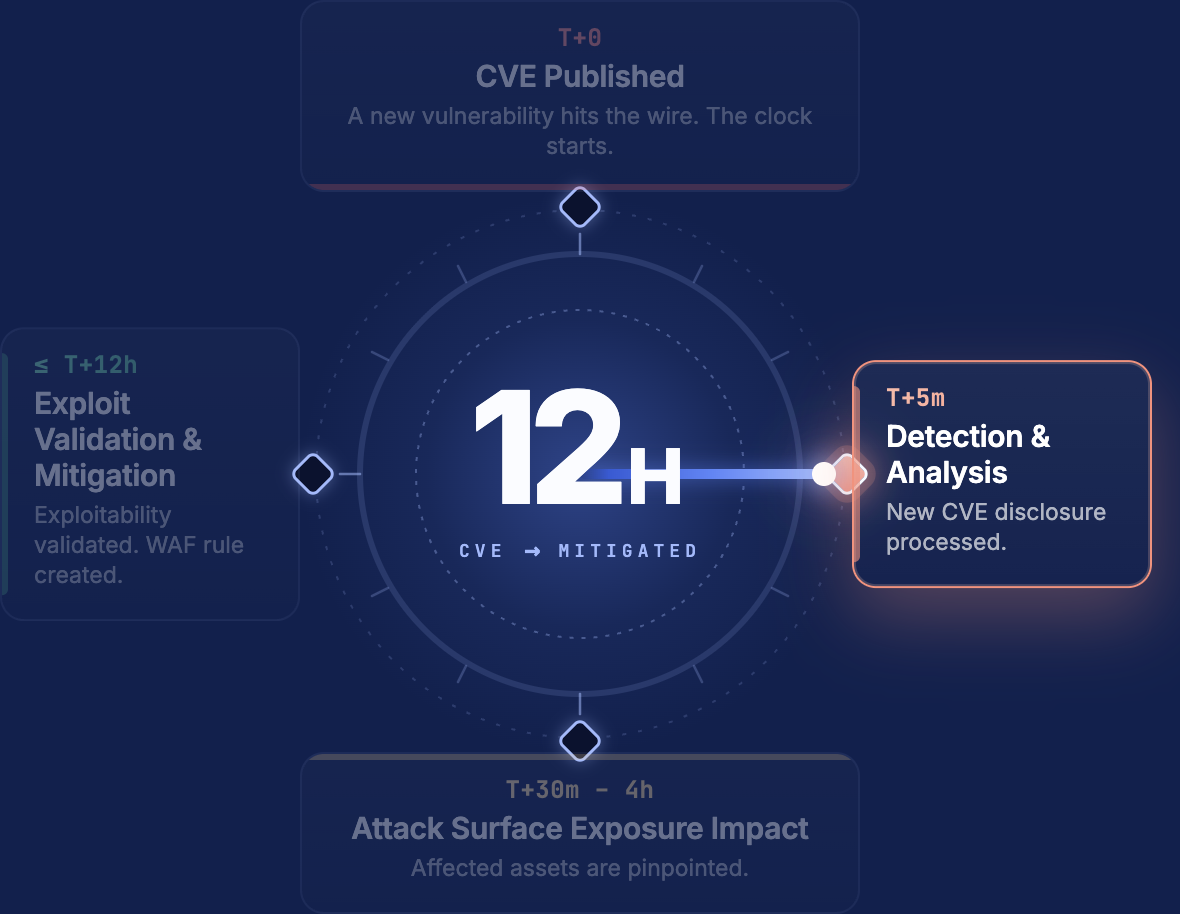
Note: IONIX customers with the Live Exposure Defense add-on receive live updates in the IONIX portal / via push notifications. IONIX customers that do not have the Live Exposure Defense add-on will see the updated list of affected assets in Threat Center only after their next scan is complete. In the meantime, these customers can still manually identify all assets that run PHP in the Discovery view.
Follow live updates
This is moving fast. We are posting rolling updates here as each capability ships and as official details are confirmed.
Questions or need help reading your results? Please contact support or your account manager.

