
SSHhole (CVE-2026-123158) and how IONIX is helping you respond
In this article
TL;DR
- CVE-2026-123158 (CVSS 3.1 8.1, High) is a password authentication bypass in sshd on Linux systems that use musl libc without PAM, most notably Alpine Linux. It is fixed in OpenSSH 10.6p2 (November 5, 2026) and in patched Alpine packages on every supported branch.
- Against an account with no password set, any password between 256 and 1024 characters is accepted. Alpine’s default
openssh-serverpackage is affected in its default configuration, and public reproduction labs already exist. - Not affected: glibc distributions (Debian, Ubuntu, RHEL and derivatives) and sshd running with PAM enabled.
- What to do now: upgrade OpenSSH (on Alpine:
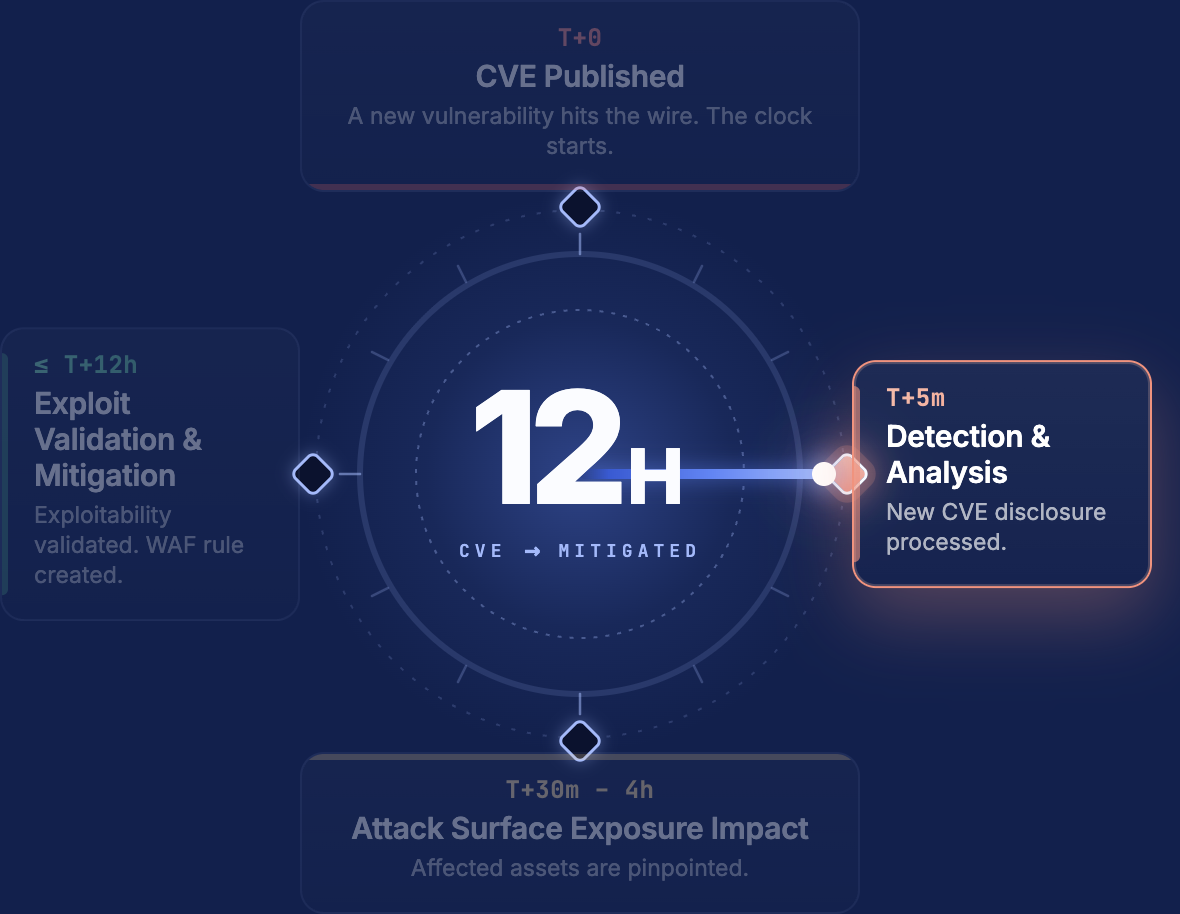
apk upgrade -U -a) and restart sshd. If you can’t upgrade yet, setPasswordAuthentication noand restart sshd. - IONIX already ships a safe exploitability test of the CVE across customer environments. Rather than relying on version banners, which over-report, IONIX actively confirms whether each exposed server is truly exploitable using a safe, non-destructive validation: it proves that access would succeed and stops there, opening no session, running no commands, reading no data, and changing nothing on the host. The result is a precise list of genuinely exploitable assets, not a theoretical one, so teams can prioritize the few hosts that actually matter. See the CVE-2026-123158 post in IONIX Live Exposure Defense and Threat Center.
What is happening
CVE-2026-123158 is a password authentication bypass in sshd on Linux systems where sshd is linked against musl libc and runs without PAM. The CVE record rates it CVSS 3.1 8.1 (High); NVD analysis is pending. OpenSSH fixed it in Portable OpenSSH 10.6p2 on November 5, 2026. It was reported by Özgün Kültekin of Wakefield.
The root cause is in musl’s crypt() function. When the supplied password is longer than 256 bytes, it returns the string * to signal an error. Accounts with no password set often store exactly * in the password field of /etc/shadow. sshd compared the two strings, found them equal and accepted the login. In the words of the CVE record, “for some configurations of accounts, any password between 256 and 1024 characters succeeds.” OpenSSH 10.6p2 now rejects stored password hashes shorter than 4 characters, which closes this path.
| Condition | Detail |
|---|---|
| Platform | Linux with sshd linked against musl libc, for example Alpine Linux |
| PAM | sshd built without PAM, or run with UsePAM no |
| sshd configuration | PasswordAuthentication yes (the OpenSSH default) |
| Target account | An account whose password field is *: no password set, common for key-only users, service accounts and directory-service users. Locked accounts (!) are not affected |
| Other | Per Alpine, at least one local account on the machine has a $5$ or $6$ password hash |
| Fixed in | OpenSSH 10.6p2, and patched Alpine packages on all supported branches (see “What to do”) |
On Alpine, root is usually root:* but is protected by the default PermitRootLogin prohibit-password. Alpine’s default openssh-server package is built without PAM and is affected in its default configuration. Public reproduction labs are already referenced in the CVE record, so assume working exploits are available.
Why this matters even though the scope is narrow: Alpine is one of the most widely used base images for containers, and a container that runs sshd (for debugging, legacy tooling or vendor appliances) is exactly the kind of asset that ends up on the internet without anyone tracking it.
Am I affected?
A host is in scope only if all four checks below are true. Run them as root on the host (or inside the container) that runs sshd.
- sshd is linked against musl. Look for
ld-muslin the output. Alpine Linux always uses musl.
ldd "$(command -v sshd || echo /usr/sbin/sshd)" | grep -i musl
cat /etc/os-release | grep -i '^ID='- sshd runs without PAM. On builds compiled without PAM,
sshd -Tprints nousepamline at all. If it printsusepam no, PAM is compiled in but disabled; that is also in scope, per Alpine’s advisory.
sshd -T 2>/dev/null | grep -i '^usepam' || echo "no PAM support compiled in"- Password authentication is accepted.
sshd -T 2>/dev/null | grep -Ei '^(passwordauthentication|kbdinteractiveauthentication)'- An account can be targeted. List accounts whose password field is
*, and check that at least one account has a$5$or$6$hash:
awk -F: '$2=="*"{print $1}' /etc/shadow
awk -F: '$2 ~ /^\$[56]\$/{print $1}' /etc/shadow
If the first command prints any account other than root (or prints root while PermitRootLogin is yes), and the second prints at least one account, the host is exploitable until it is patched.
To check from the outside without attempting a login, ask the server which authentication methods it offers. This sends only the SSH “none” method and never submits a password:
ssh -o PreferredAuthentications=none -o PubkeyAuthentication=no -o BatchMode=yes -v user@your-host 2>&1 | grep 'can continue'If the list includes password (or keyboard-interactive), the server accepts password logins. Finally, check the installed OpenSSH version with your package manager (for example apk info -v openssh-server on Alpine); anything earlier than 10.6p2, or your distribution’s patched package, should be updated.
A note on version banners: the SSH banner (for example SSH-2.0-OpenSSH_10.2) shows the upstream version but not whether sshd was built with musl or PAM, and distributions backport fixes without changing the version string. Alpine’s fixed packages on stable branches keep their original version (for example 10.3_p1-r2 on Alpine 3.24), so a patched Alpine server can still show an older version in its banner. A banner alone can’t confirm or rule out exposure.
How IONIX helps you find and fix affected assets
IONIX customers can see a list of confirmed exploitable assets under Live Exposure Defense in the IONIX portal. This list is based on a safe exploitability test launched against all OpenSSH servers.
IONIX customers can also find a broader list of potentially exposed SSH assets that accept password authentication (look for action items titled “Fix Network issue: SSH weak authentication method” – this action item covers every port where IONIX detects SSH, not only port 22). After checking the assets above, you can also look at assets with the following action items: “Fix Network issue: SSH common credentials” and “Fix Network issue: SSH weak MAC algorithm”.
To further narrow down the list of potentially affected assets now, you can also ask IONIX Spark to cross-reference exposed password-based SSH servers with the affected OpenSSH versions. Sample Spark prompt:
Take a look at CVE-2026-123158 in the IONIX threat center. Then fetch all "Fix Network issue: SSH weak authentication method" action items and for each of them check the identified technologies. Give me a short list of assets that are most likely effected (e.g. based on the OpenSSH versions they expose).What to do
Patch first. Upgrade to OpenSSH 10.6p2 or your distribution’s patched package, then restart sshd: upgrading the package does not restart a running sshd. On Alpine, run apk upgrade -U -a and restart sshd (for example rc-service sshd restart). Fixed Alpine packages, per the Alpine advisory:
| Alpine branch | Fixed openssh package |
|---|---|
| edge | 10.6_p2-r0 |
| 3.24 | 10.3_p1-r2 |
| 3.23 | 10.2_p1-r1 |
| 3.22 | 10.0_p1-r11 |
| 3.21 | 9.9_p2-r1 |
| 3.20 | 9.7_p1-r6 |
| 3.19 | 9.6_p1-r3 |
| 3.18 | 9.3_p2-r4 |
| 3.17 | 9.1_p1-r7 |
| 3.16 | 9.0_p1-r6 |
Rebuild and redeploy any container images that install openssh-server.
If you cannot patch immediately, reduce exposure with these interim steps:
- Disable password-based authentication and use public keys only. In
/etc/ssh/sshd_config:
PasswordAuthentication no
KbdInteractiveAuthentication no
Then validate the config and reload sshd (sshd -t and, for example, rc-service sshd reload on Alpine). Make sure you have working key-based access before you reload, or you may lock yourself out.
- Restrict who can reach port 22: allowlist known source IPs at the firewall or security group, or put SSH behind a VPN or bastion host.
- Remove sshd from container images that don’t need it. Use
docker exec,kubectl execor your orchestrator’s access tooling instead of running an SSH server inside containers.
Verify the change took effect. From outside your network, the methods the server offers should no longer include password or keyboard-interactive:
ssh -o PreferredAuthentications=none -o PubkeyAuthentication=no -o BatchMode=yes -v user@your-host 2>&1 | grep 'can continue'Expected output after the change: Authentications that can continue: publickey.
Hunt for signs of misuse on in-scope hosts that accepted passwords: review sshd logs for successful password logins you can’t account for (grep 'Accepted password' /var/log/messages or your log pipeline), new entries in authorized_keys, and unexpected users or cron jobs.
What IONIX is doing
| Item | Status |
|---|---|
| CVE-2026-123158 post in Live Exposure Defense and Threat Center with a focused list of potentially affected assets – check those now. | Published: open it in the IONIX portal |
| Safe exploitability test | Published: open it in the IONIX portal |
Technical analysis
We rebuilt the vulnerable and fixed versions of sshd in our lab and tested each condition separately. This section covers what the advisories leave out: the exact preconditions, why the exploit needs two attempts, what a bypass leaves in the logs, and a mitigation that doesn’t break key-based logins. The underlying flaw is in CVE-2026-123158 (sshhole.com), fixed in OpenSSH 10.6p2.
Background: where *, ! and $6$ come from
Linux keeps account information in two files:
/etc/passwdis readable by everyone. It has one line per account:name:x:UID:GID:comment:home:shell, for examplealpine:x:1000:1000::/home/alpine:/bin/sh. Thexmeans “the password is in the shadow file”./etc/shadowis readable only by root. Its second field holds the password:name:PASSWORD:last-change:min:max:warn:inactive:expire:, for examplealpine:*:20762:0:99999:7:::.
The second field is what SSHhole is about. Systems never store the password itself, only the output of the crypt() function. On login, the system runs crypt() on the typed password, using the stored value as the “setting” (algorithm and salt), and checks that the result is identical to what is stored. Modern hashes use the format $id$salt$hash, where the id names the algorithm:
| Stored value starts with | Algorithm | Notes |
|---|---|---|
$1$ | MD5-crypt | Legacy |
$2a$ / $2b$ / $2y$ | bcrypt | $2b$<cost>$<22-char salt><hash> |
$5$ | SHA-256-crypt | OpenWrt’s default, and Buildroot’s default for a configured root password |
$6$ | SHA-512-crypt | Alpine’s default, and long the default on most Linux distributions |
$y$ | yescrypt | Current default on Debian, Ubuntu and Fedora (glibc/libxcrypt); musl doesn’t support it |
13 characters, no $ | Traditional DES | The first two characters are the salt; only the first eight password characters count |
Some values are deliberately not valid hashes. No crypt() output should ever equal them, so they block password login while the account keeps working:
| Value | Convention | Effect on sshd without PAM |
|---|---|---|
* | “No password can work.” Used for system and service accounts and for key-only users. Root in the Alpine Docker image since 3.16. | Key login works. This is the SSHhole target. |
! or !<hash> | “Locked.” passwd -l puts a ! in front of whatever is there. | sshd refuses every login method, including keys. |
!* | Locked, and no password | sshd refuses every login method. |
| (empty) | “No password needed” | Key login works. Logging in with an empty password is refused unless PermitEmptyPasswords yes is set. |
The bug comes down to one difference between C libraries. When crypt() can’t produce a hash, glibc’s libxcrypt returns a null pointer or the failure token *0 (*1 if the salt itself starts with *0), per util-make-failure-token.c. Neither can equal a stored *. musl, by contrast, returns the single character * — its crypt_sha512.c says so in its own header comment (“on error * is returned”). (Confirmed in the lab: glibc crypt("A"×300, "*") returned *0; musl returned *.)
What actually has to be true for the bypass to work
“Am I affected?” above lists four conditions. In our lab, a login only succeeded when two more held as well:
| # | Condition | Why it matters |
|---|---|---|
| 1 | sshd is linked against musl | musl’s crypt() returns “*” on failure. |
| 2 | sshd runs without PAM | With PAM, sshd never reaches the vulnerable sys_auth_passwd() path. |
| 3 | Password authentication is enabled | The OpenSSH default is yes, and Alpine keeps it. |
| 4 | The target account’s shadow field is exactly * | !, !*, an empty field, or a longer value such as *NP* cannot be bypassed. |
| 5 | The first account in /etc/passwd order that has a hash uses $5$ or $6$ (or, on OpenSSH 10.6p1 and earlier, bcrypt) | sshd borrows that account’s salt (see below). If the first hash is $1$, or there is no hash at all, the bypass fails. |
| 6 | The password is 257 to 1,024 bytes, sent as the second password attempt on the same connection | musl’s SHA-crypt refuses keys over 256 bytes, and sshd discards passwords over 1,024. The first password attempt on a connection always fails. |
Lab results on the vulnerable build (alpine:*, another user with a $6$ hash):
| Password length | Attempts on one connection | Result |
|---|---|---|
| 20 | 3 | denied |
| 256 | 3 | denied |
| 257 | 1 | denied |
| 257 | 2 | accepted |
| 1,024 | 2 | accepted |
| 1,025 | 3 | denied |
On the fixed build (10.6p2), every row was denied. Moving a $1$ account ahead of the $6$ account in /etc/passwd also turned the “accepted” rows into “denied”.
Why the password has to be over-long
- For a field of
*, sshd sees a one-character “hash” with no usable salt, so it asks pick_salt() to borrow one.pick_salt()was added in July 2016 (commit 9286875a) to stop attackers telling real from invalid usernames by response time (CVE-2016-6210). pick_salt()walks the accounts in/etc/passwdorder and copies the salt prefix of the first hash it finds, for example$6$AbCdEfGh$.- sshd calls
crypt(password, "$6$AbCdEfGh$"). musl’s SHA-512 and SHA-256 code reject keys longer than 256 bytes (KEY_MAX 256) and return"*". - sshd compares
"*"with"*". They match, and the user is logged in.
musl’s crypt(), measured directly (lab):
| Salt type | Short password | 300-byte password |
|---|---|---|
$6$ SHA-512 | normal hash | * |
$5$ SHA-256 | normal hash | * |
$1$ MD5 | normal hash | normal hash |
| bcrypt (full salt) | normal hash | normal hash |
$y$, $7$, $sha1$ | not supported, so musl falls back to DES | normal output |
| DES | normal hash | normal hash |
A musl host whose shadow file was copied from a modern glibc distribution (yescrypt $y$ hashes) is therefore not exposed through those hashes. The 10.6p2 fix rejects any stored hash shorter than four characters, whatever crypt() returns.
Why it takes two attempts on the same connection
Before the fix, shadow_pw() returned a pointer into musl’s single, static getspnam() buffer (static struct spwd sp; static char *line;). On the first password attempt in a connection, pick_salt() runs for the first time. It calls getspnam() on account after account, which overwrites the buffer the target’s password field still points to, and then zeroes the hash it copied with explicit_bzero(). The first comparison runs against clobbered memory and fails. The salt is now cached, so on the second attempt pick_salt() returns immediately, the target’s field still reads *, and the comparison succeeds.
- The warm-up attempt can be any password. In the lab, a 1-character first attempt followed by a 257-character second attempt worked.
- Both attempts must share one TCP connection. Each connection gets a fresh sshd process with an empty cache. A scanner that sends one password per connection will report vulnerable hosts as clean.
The fix also removes this aliasing: shadow_pw() now returns a private copy.
The bcrypt corner case: any password, not just long ones
On OpenSSH 10.6p1 and earlier, if the first hash pick_salt() finds is bcrypt ($2b$), it copies only the $2b$10$ prefix and drops the 22-character salt. musl treats a salt-less $2b$10$ as invalid and returns "*" for every password. In the lab, a 5-character password succeeded on the second attempt.
This salt bug was fixed in OpenSSH’s development branch on 30 October 2026 (commit 84f8f466), but that fix is not part of 10.6p2 (verified with git merge-base). 10.6p2 still blocks the bypass through its new length check (a * is one character), which we confirmed against a 10.6p2 build. Bcrypt hashes are unusual on Alpine but can end up in a shadow file whenever hashes are generated elsewhere and copied in, so “257–1,024 bytes” is not a safe basis for detection signatures.
Stock images are not exploitable out of the box. One passwd changes that
- Alpine Docker image (3.16 to edge): root is
*, and every other account is!. There is no hash at all, so even root can’t be bypassed as shipped, andPermitRootLogin prohibit-passwordblocks it anyway. (In 3.14 and 3.15 root was!; the change came in aports commit fbe926afc76, motivated by issue #10806, and first shipped in 3.16 — lab-checked 3.14→edge.) Alpine’sopenssh-serveris built without PAM and with utmp/wtmp/lastlog disabled. - Alpine cloud images (AWS/Azure): the build script (lines 184-201) sets
alpine:*, putsalpineinwheelwith passwordlessdoas, and locks root to!*.alpineis therefore the account to watch, and a bypass on it means full root. As shipped, no account has a hash. - What arms the bug: running
passwdon an account listed early in/etc/passwd, or cloud-init/tiny-cloud user-data that sets a password withlock_passwd: false. Because Alpine defaults to SHA-512, setting a password on an unrelated account can be enough to expose every*account on the host.
This on-host check (run as root) follows the same logic as sshd:
# 1. Is sshd musl + non-PAM + password-enabled? ldd “$(command -v sshd)” | grep -q musl && echo “sshd: musl” sshd -T | grep -Ei ‘^(usepam|passwordauthentication|permitrootlogin) ‘ # 2. Which accounts are targets, and does the FIRST hash (passwd order) arm the bug? awk -F: ‘NR==FNR { h[$1]=$2; if ($2==”*”) t=t” “$1; next } !f && h[$1] ~ /^\$/ { f=h[$1]; who=$1 } END { print “targets:” (t ? t : ” none”); print “first hash:”, (f ? who ” ” substr(f,1,4) : “none”); print (f ~ /^\$[56]\$/) ? “ARMED” : (f ~ /^\$2/) ? “ARMED only if OpenSSH <= 10.6p1” : “not armed” }’ \ /etc/shadow /etc/passwd
A stopgap that keeps key logins working
The obvious fix for a * account is to lock it with !, but that breaks key login. Without PAM, sshd refuses every login method for an account whose field starts with ! (User … not allowed because account is locked). That is why Alpine moved root from ! to * in the first place.
What works instead is replacing * with a longer placeholder that doesn’t start with !, such as *NP*:
echo 'alpine:*NP*' | chpasswd -e # busybox, works on stock Alpine (no usermod there) # or: sed -i 's/^alpine:\*:/alpine:*NP*:/' /etc/shadow
Because the field is now longer than one character, sshd uses the field itself as the salt instead of calling pick_salt(). musl then returns a 13-character DES-style string that can never equal *NP*. In the lab, the bypass failed and key login for the same user kept working. Use it until the package is upgraded, together with PasswordAuthentication no.
Service accounts with /bin/false still matter
Before authenticating, sshd only checks that the account’s shell exists and is executable, and /bin/false and nologin pass that check. A bypassed account with such a shell can’t run commands, but port forwarding doesn’t use the shell at all. On a build with the upstream default AllowTcpForwarding yes, we bypassed a * account with /bin/false as its shell and used the session to fetch a page from a web service bound to 127.0.0.1 on the target (lab). That is a pivot into the internal network.
Alpine’s packaged configuration sets AllowTcpForwarding no, so stock Alpine isn’t exposed to this. OpenWrt routers that run OpenSSH are. OpenWrt’s openssh-server package is musl, built without PAM (VARIANT:=without-pam), and installs the upstream configuration with PasswordAuthentication yes and AllowTcpForwarding yes. OpenWrt’s busybox hashes passwords as SHA-256, and root is the first account in /etc/passwd. Once root has a password, as it does on almost every configured router, the daemon, network and nobody accounts (* + /bin/false) can be bypassed and used as tunnels into the LAN. In the lab, the bypass authenticated as daemon against an OpenWrt openssh-server with a root password set. (Note: OpenWrt’s default SSH server is Dropbear, which is not affected; this needs OpenSSH to have been installed.) Check any musl build with sshd -T | grep -i forwarding. If you can’t patch yet, set DisableForwarding yes.
What a bypass looks like in the logs
Patched and vulnerable hosts spend the same time in crypt() (our lab measurements were within noise), and asking the server which auth methods it offers shows exposure, not vulnerability. The only remote proof is a successful login. Any test that confirms SSHhole has to authenticate. That includes exploitability tests run by security vendors, IONIX’s among them.
What that leaves on Alpine’s stock openssh-server (default LogLevel INFO):
| Activity | sshd log lines | wtmp / lastlog |
|---|---|---|
| Authenticate, then disconnect (a confirmation probe) | Accepted password for <user> from <ip> + Connection closed | none |
Authenticate and run a command (ssh host cmd) | identical to the probe | none |
| Interactive shell | Accepted password … + Connection closed | a wtmp record only if the utmps services are running; no lastlog |
Alpine disables sshd’s lastlog and classic utmp/wtmp code. Session records can still go through utmpx, which musl itself doesn’t implement, so they are only written when the utmps services run, and only for interactive (terminal) sessions. On Alpine, sshd’s logs alone can’t tell a scanner’s probe from an attacker’s command (lab).
If you find an unexpected Accepted password for a key-only account:
- Treat it as a potential compromise first, then attribute the source IP: your own scanner, IONIX, another vendor, or a known research scanner.
- Look for what happened after login rather than for login records: new
authorized_keysentries, new users, changes to cron ordoas, unfamiliar processes, outbound connections. - Going forward, ship logs off-host and add process-execution auditing. sshd’s logs don’t record what a session did.
Scanning at scale: per-source penalties hide hosts
OpenSSH 9.8 and later enable PerSourcePenalties by default. Each connection that ends in failed authentication adds 5 seconds of penalty for the source address. Once the total passes 15 seconds, sshd refuses new connections from that address, for up to 10 minutes — the defaults authfail:5s, min:15s, max:10m are documented in sshd_config(5). A scanner that tries several candidate accounts back-to-back gets cut off partway through.
Ten failing candidate connections against one lab host, two runs per setting:
| Delay between candidates | Connections that reached authentication | First refused |
|---|---|---|
| 0 s | 5 / 10 | candidate 6 |
| 3 s | 7 / 10 | candidate 8 |
| 6 s | 10 / 10 | none |
A second, independent measurement gave one fewer at each of the first two delays. The exact cut-off depends on client speed and network latency. Refused connections are closed before the SSH banner, so a tool that doesn’t tell “refused” apart from “denied” will mark the rest of its list as not vulnerable. Pace each target at about 6 seconds between candidates, and treat a disconnect before the banner as “unknown”, not “clean”.
Platform reality check
| Platform | Default SSH server | Root field | Default state |
|---|---|---|---|
| Alpine (Docker) | none shipped | * (3.16+) | Root is a target, but there is no hash and PermitRootLogin prohibit-password |
| Alpine cloud images | OpenSSH, non-PAM | !* | alpine:* with passwordless doas is the target; armed once a password is set |
| OpenWrt | Dropbear (not affected) | empty | With openssh-server installed and a root password set ($5$), daemon, network and nobody become bypassable tunnels (lab) |
| Buildroot | configurable | empty | Defaults to glibc; only musl builds are in scope. A configured root password is $5$, which arms the * service accounts |
| Yocto / OE | configurable | empty | Defaults to glibc; only musl builds are in scope |
| Gentoo (musl profile) | OpenSSH | * | Not affected by default: built with PAM, UsePAM yes, PasswordAuthentication no |
| Debian / Ubuntu / RHEL | OpenSSH | — | Not affected (glibc, PAM) |
Follow live updates
This post will keep changing as the event develops. IONIX customers can follow the CVE-2026-123158 post in Live Exposure Defense and Threat Center for asset-level updates. Questions about a specific asset: contact IONIX support or your account manager.
Sources
